 |
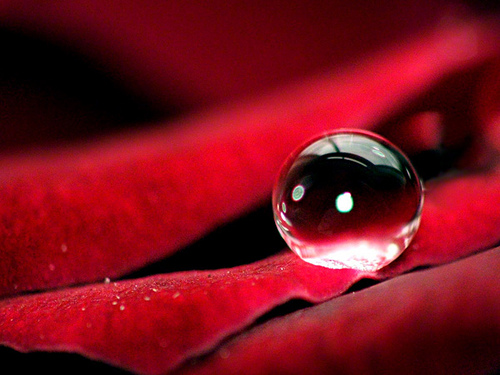
| A beautiful snapshot of a raindrop on a rose..!! |
Sunday, July 10, 2011


Useful tips of the week... 3 July

Category:
Helath tips
Natural Ways to Get Rid of Obesity
There are innumerable options available for weight loss, but still the number of people turning into a tub of lard is increasing with every passing day, and obesity is still a serious problem despite all these artificial treating options. Surgeries, diet and exercise regimes, diet pills and many other options are available for weight loss these days and some of them have proved effective to lose weight, however, the real problem is these options show their effect only for a limited time and their good results are not lasting at all.People who want get rid of their excess pounds permanently and who are looking for a really effective way in this connection must keep this fact in mind that natural way can prove the best way to get rid of these excess pounds. But many may wonder how to go natural for losing weight. Well, here lies the solution for them.
Control the amount of food you eat

A large number of people can’t control the amount of food they take, and it comes up as the biggest cause of excess lard in this large number of people. People who want get rid of these excess pounds must try to control their food first.
Eat Right

It’s not all about controlling the amount of food, as it’s also equally important to consume right foods. You can look for Green Tea as different antioxidants found in this tea can help you to lose some considerable pounds. Leave taking sugar and carbohydrates to boost energy, as you can also do so by taking different fruit that are also rich in different vitamins and minerals.
Take exercise regularly

Take exercise daily, as it keeps you away from obesity, but also many other obesity related diseases too. If you think that you are gaining some weight, you need to take more exercise than you regularly do.
Take lemon juice in the morning

Lemon juice has been found quite effective to remove mucus from the intestine and make digestion easier. So, take some lemon in a glass of water and take it daily before eating anything.
Say no to Soda drinks

People who regularly take soda drinks have higher odds of becoming an obesity victim and you must prefer to fresh juices or green tea over it if you really want to maintain a really nice body shape

Article of the week..... 3 July
A Guide to Men's Summer Fashion
Summer is here - which means it's time to pull out those shorts, t-shirts and sandals that rarely see the light of day during the rest of the year. While some items of clothing are staples of summer wear every year - for example, polo shirts and relaxed jeans - each summer also brings with it a set of unique seasonal looks. This summer, it's all about pastels, neutrals, and tailored pieces, not to mention the "all white" and "all American" looks. Get the scoop on this season's hottest fashion trends, and get ready to look great all summer long.


Heading out on the town? Don't be afraid to throw some colour into the mix of your formalwear. Whether you incorporate a splash of orange in an otherwise subdued colour scheme, or dress in bold colours from head to toe, the fashion scene will embrace your colour-happy attitude this season.
If you plan on hitting the beach or the pool this summer, you'll need a pair of stylish swim shorts. Retro is in this season, so head to your local vintage shop to pick up a pair - you'll not only pick up something unique, but you'll save some cash too. While you're at it, snag yourself some hip sunglasses; you can't go wrong with Aviators, Clubmasters or Wayfarers this summer.

Last but not least, the jumper is another key piece to consider when pulling together your summer wardrobe. The weather might be warming up, but it's more than likely that a few chilly nights will make their way into the British summer. So stock up on a few Armani pullovers or Lyle and Scott jumpers and stay cosy. Opt for a cotton elbow-length sleeve sweater (paired over a tailored button-down shirt) to get that Twenties-riviera-meets-rugby look.
So, with some of this summer's top trends in mind, you're more than ready to put your fashion foot forward. Just remember that keeping up with summer fashion doesn't mean you have to re-do your entire wardrobe or break the bank. Incorporating just a few quality seasonal pieces will help update your wardrobe and ensure you look great all summer long.

This article is free for republishing
Source: http://www.articlealley.com/a-guide-to-mens-summer-fashion-1587590.html
Quotation of the week... 3 July

"We ourselves feel that what we are doing is just a drop in the ocean.But the ocean would be less because of that missing drop."
(Mother Teresa)
IT tip of the week... 3 July

How to Appear Offline to Specific People on Facebook Chat
One of the reasons Facebook is very popular is because of it’s chat feature. You can chat with your friends on the website. But there it’s quite touch to ignore people on Facebook chat as there is no option to put a busy or not available status, there is not even a invisible option like in other messengers.
But you can do one thing to solve that problem. You can be offline for a specific group of people.
Create Friends Lists
Before you can appear offline to specific people, you need put your friends into lists so that you can tell Facebook which friends you want to be hidden from. If you haven’t already grouped your friends into lists, then you can do so now following these steps.From the Account menu in the top right of Facebook select “Edit Friends.” You’ll now be at the friends page where you can delete and search through your friends. Click on “Create a List” at the top of the page.

From the “Create a New List” window enter a name for your list and then select all the friends that you’d like to add to that list.
Side note: The next time you add a new friend or accept a friend request, you’ll be able to add them to one of your lists right away.

Once you finish creating your lists, the next thing to do is open Facebook Chat and move on to the next step.
Go Offline to Specific Friend Lists
Now when you open Facebook Chat, you should be able to see all of your Friend Lists that you just created. Each group will have a slider to the far right of the name; the slider will show green by default (meaning you’re showing online to that group).
In order go offline to that specific group of friends, you’ll need to click on the slider so that it turns gray. This will make you show offline those friends only. That’s it!
Hide Friend Lists in Chat
Finally, if you plan to always stay offline to a specific group, then you might as well totally hide that list from displaying in your chat window. You know the saying, “out of sight, out of mind.”This step is pretty easy.

Just click on “Friend Lists” from the Facebook Chat window and then click on the list that you want to hide. The lists without a check mark next to them are the ones that are hidden.
That’s it, it will no longer display in your chat window until you choose to display it again.
Side note: You can even hide groups that you do show online to.
Miscellaneous post of the week... 3 July
All About "Harry Potter And The Deathly Hallows - Part 2


| Directed by | David Yates |
|---|---|
| Produced by | David Heyman David Barron J. K. Rowling |
| Screenplay by | Steve Kloves |
| Based on | Harry Potter and the Deathly Hallows by J. K. Rowling |
| Starring | Daniel Radcliffe Rupert Grint Emma Watson Ralph Fiennes Michael Gambon Alan Rickman Helena Bonham Carter Maggie Smith |
| Music by | Alexandre Desplat Orchestrator: Conrad Pope Themes: John Williams |
| Cinematography | Eduardo Serra |
| Editing by | Mark Day |
| Studio | Heyday Films |
| Distributed by | Warner Bros. |
| Release date(s) | 13 July 2011 (Australia[1]) 15 July 2011 (United Kingdom, United States[2]) |
| Running time | 130 minutes[3] |
| Country | United Kingdom United States |
| Language | English |
| Budget | $250 million (Shared with Part 1)[4] |
Synopsis (via ComingSoon.net):
In Part 2 of the epic finale, the battle between the good and evil forces of the Wizarding world escalates into an all-out war. The stakes have never been higher and no one is safe. But it is Harry Potter who may be called upon to make the ultimate sacrifice as he draws closer to the climactic showdown with Lord Voldemort. It all ends here.



Behind the scenes
Official Trailer
Subscribe to:
Posts (Atom)